opinion · Bhaskar Pandey
How I fixed a bloated, ad-riddled Android TV and built a fast, simple & beautiful launcher for it.
I used Claude Code to remotely debloat my Google TV, removing 26 apps and installed a minimal custom home screen through natural language prompts rather than manual commands. The AI agent (Claude Opus 5.5) handled the technical work - managing connections, logging changes, and even catching its own mistakes - while the human made the creative decisions about what to keep and how the interface should feel.
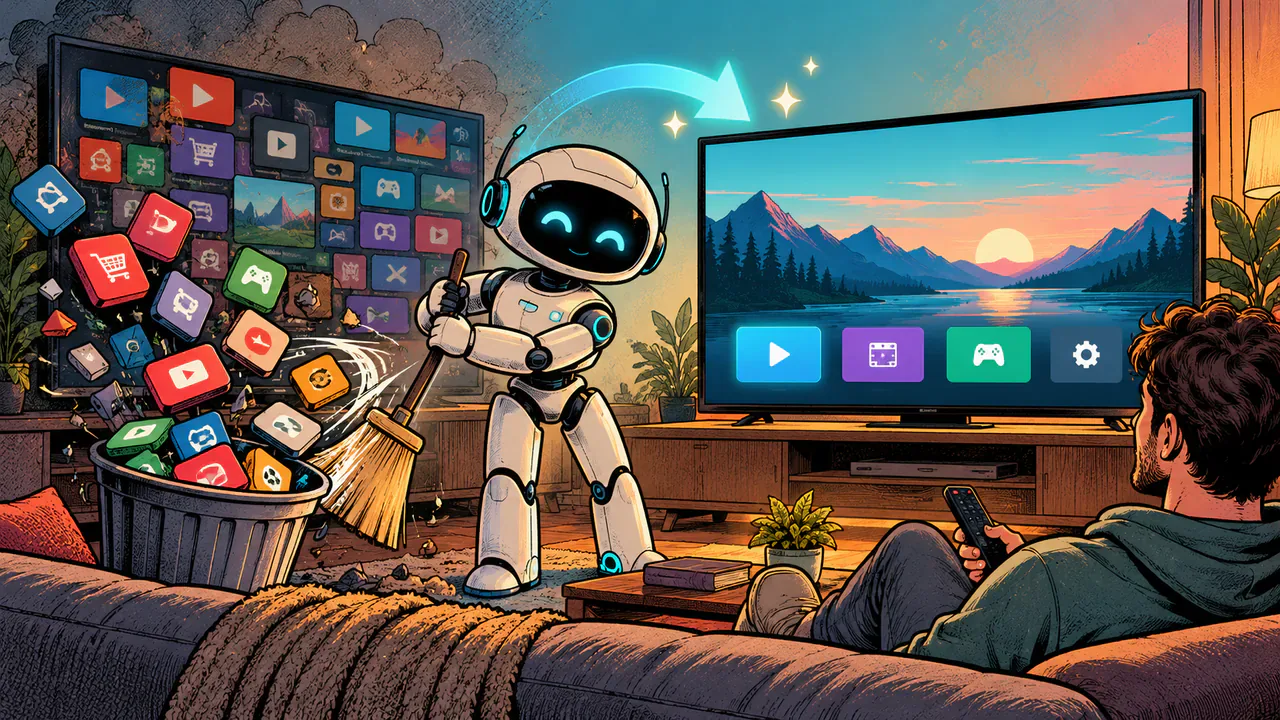
I told Claude Code to clean up my TV. It deleted 26 apps and wrote a new home screen.
A quick word before you try this. Everything here worked on my TV, a Hisense Google TV, but yours might be a different model or software version, and it may behave differently. Apps removed this way come off your user profile only, so a factory reset should bring everything back. Still, a factory reset means signing in to every app again, and in the worst case you could end up with a blank screen for a while. Read what Claude Code says before you approve anything, and don't remove an app you can't identify. I'm sharing what I did, not promising it'll go the same way for you, so go ahead at your own risk.
My Hisense Google TV took longer to show me what to watch than it took me to decide. Every press of Home brought a wall of trailers, a row of apps I never installed, and a "for you" carousel that was really a list of things somebody paid to put there. Sports I wasn't interested in. Ads for things I would never buy. Suggestions for shows and movies I'd never watch, picked by something that clearly doesn't know me or my taste.
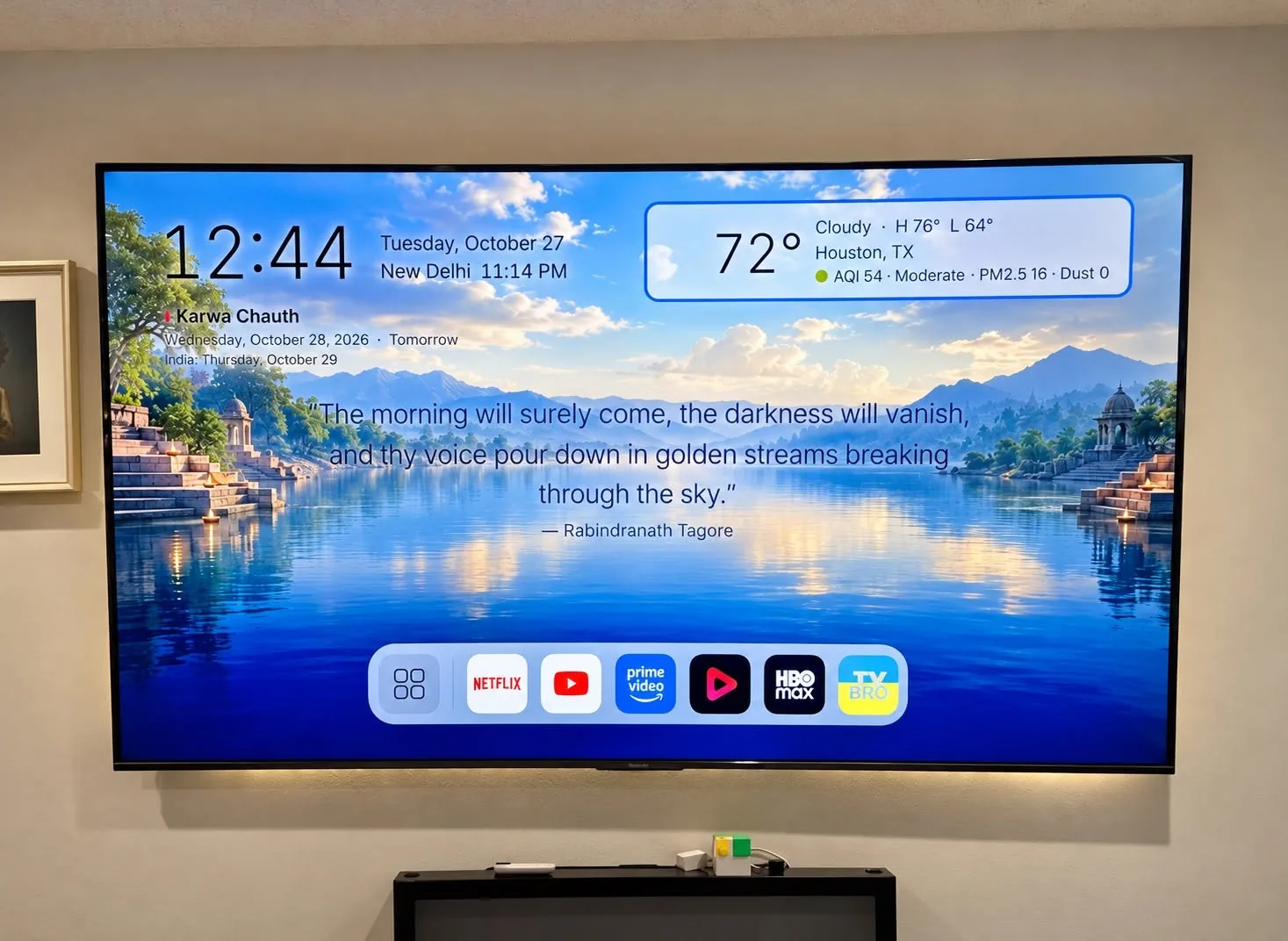
I didn't fix it myself, exactly. I didn't type a single command into the TV. I told Claude Code what I wanted kept, what I wanted gone, and what I wanted the new home screen to feel like, and it did the work over the network from a computer in the next room. Two evenings later the TV boots to a clock, the weather, a quote, a dock of the apps we actually use, and a wallpaper. The code it wrote is public at github.com/thebpandey/tv-simple-home under the MIT license.
This post is about what I asked for and what happened. Including the part where it broke the screen.
My job was deciding, not typing
That's the part I think people underestimate. The hard thing about debloating a TV was never the commands. It's knowing what you can live without, and noticing when something you care about quietly stops working.
So my contribution was a list of opinions. Keep Chromecast. Keep AirPlay. Keep the ambient screensaver, because it shows our family photos from Google Photos and it's the one "smart" feature everyone in the house likes. Get rid of both voice assistants. Get rid of anything that exists to sell me something.
Claude Code handled the rest. It connected to the TV over Wi-Fi using Android's debugging tools, found every app on it, explained what each one did, removed what I approved, and kept a log of every change with a script to undo it. I never saw a terminal prompt on the TV side.
The steps, as I gave them
Each step below has the prompt I'd give you to paste into your own Claude Code session. They're cleaned-up versions of what I actually said. Every one asks the agent to tell you its plan before it changes anything, because it's your TV and you should get the final word.
Step 1: Let the computer talk to the TV
The only thing I did on the TV myself: turned on developer mode and network debugging in the settings, then pressed Allow when the TV asked whether to trust my computer.
Claude Code prompt
I want you to manage my Android TV from this computer over the network.
Set up whatever tools you need in my user folder, find my TV on the Wi-Fi, and connect to it. Walk me through anything I have to do on the TV itself, one step at a time, and tell me when to press Allow. Don't change anything on the TV yet.
Step 2: Get the full list before anything goes
This is the step I'd tell anyone not to skip. I asked for an inventory first, sorted into plain categories, with a note on what each app does and what might break without it.
Claude Code prompt
List every app on my TV, including the preinstalled system ones, and save the list somewhere dated so I have a record. Sort them into a table: streaming apps, manufacturer extras, Google services, and core system. For each one, tell me in plain English what it does and whether removing it could break the home screen, casting, the remote, or switching inputs. Mark anything you're unsure about. Don't remove anything yet.
Step 3: Remove what I don't want, and keep receipts
I approved two rounds. The first took out 22 apps: bundled streaming apps (Tubi, Pluto, ESPN, Starz, YouTube TV and others), the manufacturer's own launcher and media extras, a store-demo mode, the feedback and calendar sync services, and both Google Assistant and Alexa. The second round was a privacy pass. I asked what else was quietly running, and it found four more manufacturer services, including a DLNA sharing service and one with "ai_sense" in its name that neither of us could find a reason to keep.
Nothing was deleted from the TV's system. Apps were removed for my profile only, so a factory reset brings everything back, and so does the restore script it wrote.
What went wrong: in the first round the ambient screensaver went too, even though I'd specifically asked to keep it. Claude Code caught its own mistake before I did and put it back in one step. Every removal was logged, which is why the fix was that easy. Mistakes are cheap when they're written down.
One thing wouldn't go. YouTube has a background service that refreshes recommendations, and the TV doesn't allow it to be switched off from outside. Claude Code reported that, then went with the next best thing: blocking YouTube from running in the background at all.
Claude Code prompt
From your table, remove only the apps I approve below. Remove them for my user profile only, not from the system, a few at a time. Keep a timestamped log of every change, and write me a restore script that can bring any of them back by name. Keep these no matter what: <your list, e.g. casting, AirPlay, screensaver>. If something can't be removed, tell me why and suggest the closest alternative.
Approved: <paste your list>
Step 4: Replace the home screen
This is where it broke.
Google TV really wants its own home screen, so installing a new one isn't enough. Press Home and you're sent straight back. Claude Code disabled Google's launcher, and the screen went black.
It figured out why on its own. A second Google package, part of the setup wizard, has a recovery screen that grabs the Home button when the main launcher disappears. It just has nothing to show. Once both were disabled, our launcher took over. The photo screensaver still worked, which it confirmed, because by then I'd made a point of asking.
Good to know: both changes are switches, not deletions. Turning those two packages back on restores the stock Google TV home screen. I asked for that rollback to be saved with the log.
Claude Code prompt
Make my custom launcher the Home app on my Google TV. Before you disable anything, tell me which apps currently answer the Home button and what each one is. Change one thing at a time, and after each change show me a screenshot of what's on the TV. Save the exact steps to undo it, and make sure the photo screensaver still works when you're done.
Step 5: Describe the home screen you want
The launcher itself started as one sentence: something minimal and polished, like a Mac, with a dock. Everything after that was me looking at screenshots and saying what bothered me. The icons were too big. The focus ring was clipped. The quote should be the centerpiece. Later I added a pollen forecast, too.
It's written in Kotlin with plain Android building blocks, without the heavy libraries most TV apps pull in. I think that's most of why it feels fast. It uses about 40 to 50 MB of memory, and its only network traffic is a weather and air-quality check every 15 minutes, plus an optional pollen forecast every six hours.
If you'd like mine as a starting point, point Claude Code at the repo and ask it to build and install it.
Claude Code prompt
Build me a minimal Android TV home screen, polished and calm, like macOS. It needs a clock, the weather with air quality, a centered dock of my installed apps that works with the remote, and an All apps grid where nothing gets cut off. Keep it light: no heavy UI libraries, under 60 MB of memory. Install it on my TV and show me screenshots after every change so I can tell you what to fix.
(Or: "Start from github.com/thebpandey/tv-simple-home, build it with my own signing key, and install it on my TV.")
What it looks like now
What I'd tell you before you start
The design took longer than the cleanup. Removing apps was an evening. Getting a dock that magnifies smoothly as you move the remote, without the highlighted icon getting cropped, took more rounds of "no, still clipped" than I'd like to admit. TVs are unforgiving. Small text and thin lines look fine on a laptop and terrible from the couch, so ask for screenshots and look at them like you're across the room.
Be specific about what you want to keep, and ask for a log. The screensaver was on my keep list, so there was something to catch the mistake against. If I'd never said it mattered, it would just have been gone.
Oh, and I removed the voice-assistant on purpose and haven't missed it once. No one besides me ever tinkered with it anyway.
For anyone who is brave enough to do this in "one-shot":
I want you to clean up my Android TV and give it a new, minimal home screen. Work over the network from this computer. Do the whole job, but stop and ask me at the two checkpoints marked below.My preferences:
Keep: <e.g. Chromecast, AirPlay, the Google Photos screensaver, Netflix, YouTube>
Remove: <e.g. voice assistants, bundled streaming apps I don't use, anything that shows ads or "recommended" content>
Home screen style: <e.g. minimal and polished, like macOS, with a dock>
Connect. Set up any tools you need in my user folder, find my TV on the Wi-Fi and connect to it. Walk me through anything I must do on the TV (I've already turned on developer mode), and tell me when to press Allow.
Take inventory. List every app on the TV, including preinstalled system apps, and save the list in a dated backup folder. Show me a table sorted into streaming apps, manufacturer extras, Google services and core system, with what each one does and whether removing it could break the home screen, casting, the remote, switching inputs or anything on my keep list. Recommend what to remove.
CHECKPOINT 1: wait for me to approve the removal list.
Remove what I approved, for my user profile only (never from the system), a few at a time. Keep a timestamped log of every change and write a restore script that can bring any app back by name. After each batch, check that everything on my keep list still works, and fix it right away if something broke. If an app can't be removed, tell me why and use the closest alternative, such as stopping it from running in the background.
Build the home screen. Write a lightweight Android TV launcher in Kotlin using plain Android Views (no heavy UI libraries), under 60 MB of memory. It needs a clock, the weather with air quality, a centered dock of my apps that works with the remote, and an All apps grid where nothing is cut off. Every item must be clearly highlighted when selected. Write tests for the logic. (Or start from github.com/thebpandey/tv-simple-home and build it with my own signing key.)
Install it and make it the Home app. Before disabling anything, tell me which apps currently answer the Home button. Google TV may need more than one package disabled, or the screen can go black. Change one thing at a time and take a screenshot after each change. Save the exact steps to restore the stock home screen.
CHECKPOINT 2: show me screenshots and wait for my feedback. Then keep refining the design until I say it's done.
When finished, give me a short summary: what was removed, what was kept, where the log and restore script are, and how to undo everything.
That's it, folks. It's your TV, you should be able to do with it as you please. If you break it, don't blame me. Do this at your own risk!